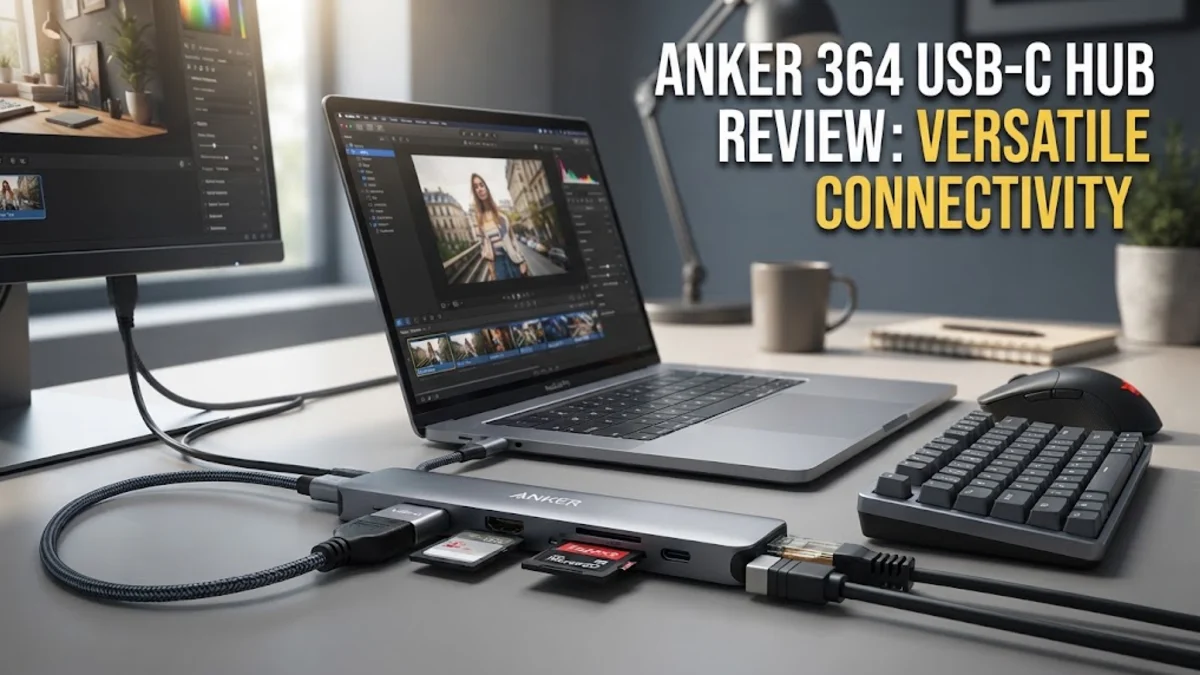
Overview
In the modern era of professional computing, ultrabooks, tablets, and high-end laptops are increasingly shedding physical ports to maintain slim profiles. While this aesthetic shift is welcome for travel, it creates an immediate bottleneck for users who need to connect monitors, wired internet, external storage drives, and various peripherals. The Anker 364 USB-C Hub emerges as a cornerstone solution for this exact problem, functioning as a 10-in-1 bridge between your minimalist hardware and the complex reality of a functional desktop setup.
By leveraging a single USB-C port on your host machine, this hub essentially acts as a traffic controller for your data, video, and power, effectively turning a lone input into a comprehensive, multi-device workspace. The focus of the Anker 364 is on stability and versatility. It is not just a collection of ports; it is an integrated expansion device built to handle the simultaneous demands of a high-resolution display, a gigabit network connection, and several high-speed data transfers without breaking a sweat. It is specifically aimed at users who refuse to compromise on their productivity due to hardware limitations.
Design and Build
Anker has cultivated a distinct design language for its accessories, and the 364 USB-C Hub follows suit with a professional, brushed-aluminum finish. This is not purely for aesthetic vanity; the aluminum chassis plays a functional role in thermal management. Hubs that house multiple active controllers for high-speed data and 4K video signal processing can generate significant heat. A metal casing acts as a heatsink, passively wicking that heat away from the sensitive internal electronics to prevent throttling or sudden connection drops during long sessions.
When you hold the device, the build quality feels dense and substantial. Unlike plastic alternatives that can shift around your desk or feel brittle when you plug in stiff cables, the Anker 364 has enough weight to stay put on a tabletop. The integrated cable, while relatively short, is reinforced with durable shielding to resist the wear and tear common to mobile accessories that are frequently packed and unpacked in laptop sleeves or backpacks. The layout of the ports is also worth noting; the distribution prevents cable crowding, allowing you to use multiple USB-A devices side-by-side without interference, which is a surprisingly common oversight in competing budget hubs.
Key Features and Performance
The core capability of the Anker 364 is its 10-in-1 versatility, which covers a massive range of use cases. The star of the show for many users is the inclusion of two 4K 60Hz HDMI ports. This is a significant step up from the common 30Hz limit found on cheaper, legacy adapters. For professionals who use dual-monitor setups for coding, design, or spreadsheets, the ability to maintain a fluid 60Hz refresh rate across two screens is a massive quality-of-life upgrade that reduces eye strain and makes cursor movement feel natural.
Beyond display output, the hub integrates a reliable Ethernet port. In an era where Wi-Fi is standard, professional workflows often demand the stability, low latency, and consistent bandwidth of a wired connection. Whether you are transferring massive video project files to a local server or engaging in stable video conferencing where packet loss is unacceptable, the physical network jack provides a peace of mind that wireless connections simply cannot replicate. Data throughput is handled via multiple USB-A and USB-C ports. While these are not meant for lightning-fast Thunderbolt 4 storage backups, they are more than adequate for everyday external SSDs, mechanical keyboards, mice, and document printers. Furthermore, the passthrough charging feature is efficient. When paired with a powerful wall adapter, the hub distributes current to your laptop while managing its own power needs, effectively tidying your workspace by consolidating power and data into one sleek cable.
Who It Is For (and Who Should Skip It)
This hub is the ideal companion for creative professionals, office power users, and students who find their limited port selection holding them back. If you are a digital nomad who frequently changes work environments—moving from a home office with dual monitors to a coffee shop and back—this device allows you to keep your cables managed and your setup consistent. It is particularly well-suited for MacBook Pro, MacBook Air, and high-end Windows ultrabook users who need to restore legacy connectivity.
Conversely, those who have very simple needs might find the 364 unnecessary. If you only ever connect a single mouse and a charging cable, a compact dongle will serve you just as well for a fraction of the cost. Additionally, this is not a solution for enthusiasts who require external GPU support or the extreme, multi-gigabit throughput of native Thunderbolt 4 docking stations. If your workflow involves transferring hundreds of gigabytes of raw 8K footage to an array of NVMe drives, you should seek out a dedicated, active Thunderbolt dock, as the limitations of standard USB-C bandwidth will inevitably create a bottleneck.
Alternatives Worth Considering
Choosing a USB-C hub often comes down to balancing port variety against total cost and size. The Satechi Multi-Port Adapter V2 is a frequent comparison point; it matches the premium aesthetic and build quality of the Anker 364, making it a favorite for Apple-centric users, though it often commands a price premium. For users who need even more specialized port configurations, the Anker 565 serves as a direct internal sibling, offering a slightly different array of inputs that may better suit specific legacy hardware needs.
For the professional who demands the highest possible reliability for video output, the CalDigit SOHO Dock is a standard-bearer. It offers arguably better display protocol handling and higher-end internal controller hardware, which makes it a preferred choice for professional colorists or editors. However, the CalDigit option occupies a much higher price bracket, making the Anker 364 the more sensible "everyman" choice for the vast majority of office, student, and home-office applications where budget efficiency and broad utility are the primary goals.
Final Verdict
The Anker 364 USB-C Hub earns its place as a reliable, versatile tool in any digital toolkit. It does not try to be an ultra-fast Thunderbolt dock or a pocket-sized micro-adapter; instead, it finds the perfect middle ground for the modern worker. The consistency of the dual-monitor support, the utility of the Ethernet connection, and the robust build quality create a package that rarely fails to perform. While the cable length could be longer and the price is slightly higher than bargain-bin generic alternatives, the peace of mind you gain by using a well-engineered hub that protects your hardware and maintains stable signals is well worth the investment. It is a workhorse device that effectively solves the connectivity crisis of modern, port-starved machines.