Overview
Entering the world of PC gaming equipment can be intimidating. The market is saturated with high-end mechanical keyboards that promise tactile superiority, often at a cost that exceeds the budget of many casual players or students. The Corsair K55 occupies a necessary middle ground. It is an entry-level membrane gaming keyboard designed for those who want a dedicated gaming peripheral without the high barrier to entry associated with mechanical switches. Rather than chasing the latest trends in extreme actuation speeds or boutique keycaps, the K55 focuses on delivering a functional, comfortable, and feature-rich experience that caters to the practical needs of the average user.
Because it utilizes membrane technology, it avoids the harsh, loud clicking often found in budget mechanical models, making it a compelling option for those who share a room or work in close proximity to others. Whether you are using it to dominate in a strategy game or typing up a long document for school, the keyboard offers a balance of durability and convenience. It is not designed to replace a professional-grade mechanical board for competitive esports, but it is explicitly designed to offer a significant upgrade over the generic, flat membrane keyboards that typically come bundled with office computers.
Design and Build
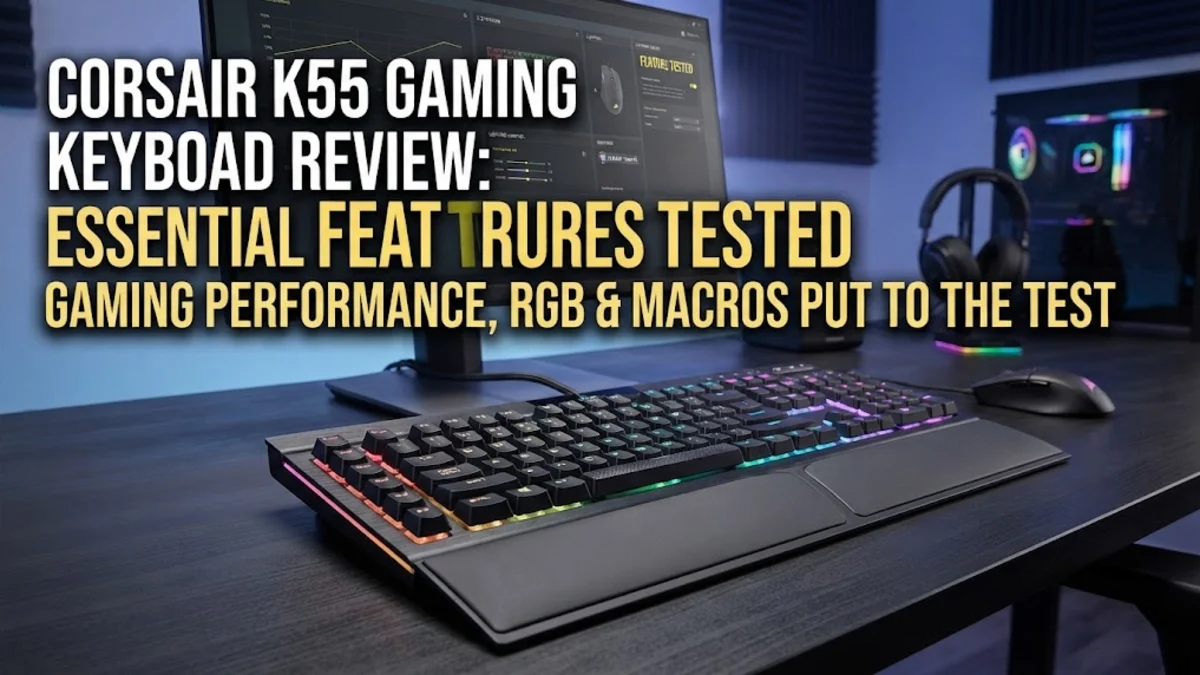
From a design perspective, the K55 retains a classic gaming aesthetic that is both functional and familiar. It features a full-sized layout, which includes the number pad that many gamers and data-entry professionals find indispensable. One of the primary physical features of this keyboard is its integrated, non-detachable wrist rest. While some users prefer modular options that can be adjusted or removed, the inclusion of a fixed rest helps maintain consistent hand alignment during long sessions. It effectively reduces wrist strain, which is a major benefit for those who spend hours at their desk.
The build quality is composed of high-quality, durable plastic. While it does not feature the brushed aluminum top plates seen on more expensive keyboards in the Corsair lineup, it remains structurally sound and resistant to the daily wear and tear of a busy desk. The matte black finish is intentional; it is designed to resist smudge marks and fingerprints, keeping the keyboard looking clean even after weeks of intensive use. The keycaps have a slightly concave shape that helps cradle your fingertips, improving typing accuracy compared to flatter, laptop-style keys. The weight of the board is balanced enough that it stays firmly in place even during vigorous gaming, thanks to anti-slip rubber pads on the bottom.
Key Features and Performance
The performance of the K55 is defined by its membrane switches. Unlike mechanical switches, which use physical springs and stems, these membrane switches register keystrokes through the depression of a rubber dome. The result is a soft, cushioned typing experience that is significantly quieter. For gamers, this means you can communicate on voice chat without your microphone picking up the loud clacking of your keyboard. The keys offer a medium travel distance, providing enough feedback to confirm a keystroke without requiring excessive force, which helps prevent finger fatigue.
Perhaps the most impressive feature for the price is the dedicated macro row. You get six G-keys on the far left side, which can be programmed through Corsair software to execute complex sequences or shortcuts with a single press. This is a massive boon for MMO and MOBA players who need quick access to abilities, and it is equally useful for productivity users who want to assign shortcuts for photo editing or spreadsheet management. Additionally, the multi-zone RGB backlighting adds a level of visual customization that makes the desk setup look modern. While you are limited to lighting zones rather than individual key control, the available patterns, including waves and pulses, provide a vibrant aesthetic that matches well with other gaming peripherals.
Media control is often an afterthought on budget boards, but not here. The dedicated physical buttons for volume, mute, and media playback (play, pause, skip, stop) allow you to adjust your audio experience instantly. You do not need to press a function key or tab out of your game to manage a Spotify playlist or lower the volume of a video; it is all handled through discrete keys located in the top-right corner. Furthermore, the keyboard supports anti-ghosting and key rollover, which ensures that even when multiple keys are pressed simultaneously—a common occurrence in fast-paced gaming—the keyboard reliably registers every input.
Who It Is For (and Who Should Skip It)
If you are a student or a light-to-moderate gamer looking for an all-in-one keyboard solution, the K55 is likely one of the best value-for-money options available. It serves as an excellent 'do-it-all' device. It is quiet enough for office environments where you cannot afford to be loud, and responsive enough for the overwhelming majority of gaming genres, including RPGs, strategy games, and simulation titles.
However, it is vital to be realistic about its limitations. If you are a competitive gamer who plays twitch-based shooters at a high level, you might find the membrane feel 'mushy' when compared to a linear or tactile mechanical switch. The reset point on a mechanical switch is often faster, allowing for quicker inputs that are crucial in high-stakes matches. Additionally, if you are an enthusiast who loves customizing your keyboard with different switch types or custom keycap sets, the K55 will be restrictive. It is a closed system that offers great out-of-the-box utility but lacks the modularity that enthusiast-grade mechanical keyboards provide.
Alternatives Worth Considering
Competition in the budget gaming keyboard space is fierce. The Razer Ornata V3 is a strong contender that brings 'mecha-membrane' technology to the table; it attempts to bridge the gap between the soft feeling of the K55 and the clicky satisfaction of a mechanical board, using a thin physical actuator alongside a membrane dome. It is a great choice if you find pure membrane boards too soft.
The Logitech G213 Prodigy is another heavy hitter. It offers a very similar feature set to the K55, including dedicated media controls and backlighting, but it features a slightly different design that many find visually sleeker. It is also well-known for its spill resistance, which can provide peace of mind if you often keep drinks near your desk. Finally, the SteelSeries Apex 3 is worth considering if you want water resistance and a slightly more understated design. It is often praised for its silent performance, making it another top-tier choice for those who value quiet operation over all else.
Final Verdict
The Corsair K55 is a proven, reliable piece of technology that understands its audience perfectly. It doesn't promise to be the world's fastest mechanical keyboard, nor does it attempt to include enthusiast features that would inflate the price unnecessarily. Instead, it provides a stable, comfortable, and feature-rich experience for gamers who want a quality desk setup without spending hundreds of dollars. The combination of dedicated media keys, macro functionality, and quiet membrane switches makes it a highly versatile tool that excels in both gaming and productivity. While its membrane nature will always be a limiting factor for mechanical keyboard purists, for the vast majority of people looking for an affordable, high-quality keyboard, the K55 is an outstanding choice that reliably performs exactly as advertised.