Overview
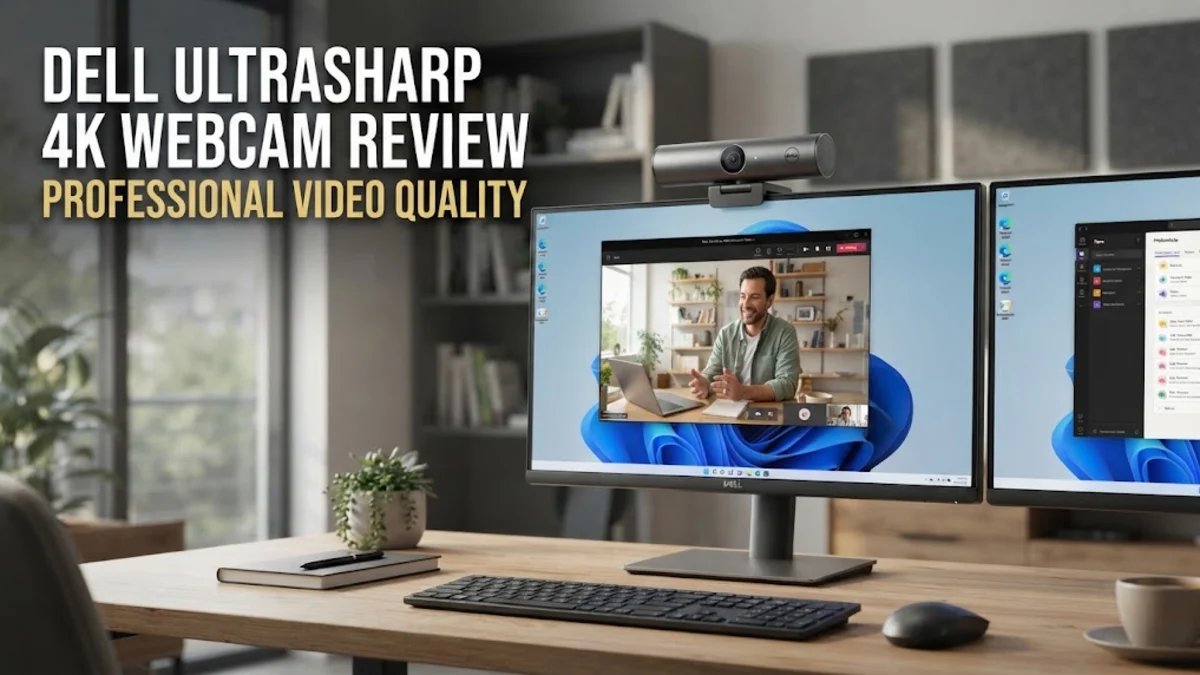
In the contemporary digital landscape, where the home office has become a permanent fixture for millions, the quality of your video presence has significant professional implications. The Dell UltraSharp 4K webcam was engineered to serve as a high-end bridge between standard, grainy laptop cameras and complex broadcast-grade hardware. By integrating a large Sony STARVIS CMOS sensor, this device is capable of handling complex lighting scenarios that often leave inferior sensors struggling with digital noise or blown-out highlights. Our comprehensive research into expert reviews and aggregated user experiences indicates that this model remains a staple for individuals who demand high-fidelity output for client meetings, board presentations, and executive-level virtual discussions.
Unlike budget-tier webcams that rely on aggressive software post-processing to simulate detail, the Dell UltraSharp focuses on raw capture quality. The reliance on a physical sensor that is significantly larger than what is found in most mobile devices allows for a more natural depth of field and superior color reproduction. In a market saturated with cheap alternatives, this webcam carves out a niche by offering a predictable, high-performance experience that minimizes the need for frequent manual adjustments or secondary lighting setups, provided the user understands how to position it effectively.
Design and Build
The aesthetic language of the Dell UltraSharp 4K webcam is rooted in the industrial, minimalist design ethos typical of premium peripheral manufacturers. The device is housed in an aluminum cylinder, a material choice that serves both structural and thermal management purposes. Unlike plastic enclosures that can feel brittle and cheap, the aluminum construction provides a reassuring weight and density. This choice of material also aids in dissipating the heat generated by the high-resolution processing chips, which is a critical detail for long-duration conference calls where performance degradation due to overheating can become a factor.
The mounting mechanism is perhaps one of the most well-engineered features of the entire unit. Dell utilizes a magnetic attachment system that facilitates rapid adjustments. The monitor clip is designed with a low profile, ensuring it does not obstruct the thin bezels of modern displays. This magnetic design allows the user to snap the camera on or off in a heartbeat, which is particularly useful for those who move between docking stations or need to quickly stow the device. Additionally, the inclusion of a magnetic privacy shutter is a thoughtful, security-first feature that provides undeniable tactile confirmation that the sensor is covered. This is a substantial improvement over sliding plastic covers that often scratch lenses or feel flimsy over time.
Key Features and Performance
The 4K sensor is the undeniable heart of this webcam, providing a resolution that captures fine detail with impressive fidelity. In high-stakes environments, such as remote interviews or recorded lectures, the extra pixel count ensures that you appear sharp and clear, even on high-resolution displays. One of the most praised aspects in user forums is the High Dynamic Range (HDR) implementation. When you are sitting in a room with mixed lighting—perhaps with a window behind you or a bright desk lamp to the side—the HDR processing works to balance the exposure levels. This prevents the common "halo" effect where the subject is obscured by a bright background.
Intelligent autofocus is another area where the Dell UltraSharp distinguishes itself. It utilizes a continuous focus system that tracks the subject’s face with minimal latency. For presenters who tend to move around, lean in, or gesture during a conversation, the camera maintains focus without the frantic "hunting" common in cheaper sensors. The auto-framing software is equally robust; it allows for AI-driven subject centering, which can be configured via the Dell peripheral manager software. This software suite is a major selling point, offering granular control over exposure, saturation, contrast, and field-of-view, allowing users to tune their appearance to their personal preferences or office environment.
Who It Is For (and Who Should Skip It)
This webcam is tailored for a specific audience: the corporate professional, the remote executive, and the content creator who values visual authenticity. If your daily workflow involves frequent video calls with clients where maintaining a high-quality impression is paramount, this camera provides that necessary edge. It is also an excellent asset for educators or trainers who need to display detailed documents or whiteboard content to their audience via video feed. The color accuracy is consistent enough to serve as a reliable tool in creative workflows where visual fidelity is non-negotiable.
However, prospective buyers should exercise caution if their requirements fall outside this narrow, premium scope. If you are operating on a strict budget, the price point of the Dell UltraSharp will likely be difficult to justify, especially since the quality increase over mid-range cameras is subtle rather than revolutionary for casual social calls. Furthermore, if you are a traveler, the weight and the nature of the magnetic mount may be perceived as less convenient compared to fold-flat or compact travel webcams. Perhaps most importantly, the absence of an integrated microphone is a significant trade-off. While professionals often prefer using dedicated desktop microphones for superior audio, the lack of an onboard mic means you are forced to purchase an additional piece of hardware to complete your setup. If your desk space is extremely limited or you prefer an all-in-one solution, you should look elsewhere.
Alternatives Worth Considering
The landscape of professional webcams is highly competitive, and your choice depends heavily on your specific needs. The Logitech Brio 4K is often considered the industry benchmark for universal compatibility. It is widely supported by every video conferencing platform and offers a wider field of view which is beneficial for group calls or conference room settings. If your priority is software-led features like sophisticated AI-driven tracking that moves with you, the Insta360 Link offers a mechanical gimbal that physically adjusts to track your movement. This creates a level of production value that the Dell unit, which relies on software cropping, cannot replicate. For power users who require absolute control, the Elgato Facecam Pro offers an uncompressed 4K 60fps feed and extensive studio-grade software, making it the preferred choice for those who want to treat their webcam like a DSLR camera.
Final Verdict
The Dell UltraSharp 4K webcam is an investment in professional image quality. It is a no-nonsense, high-performance tool that discards superfluous features like built-in microphones to focus exclusively on what matters most: providing a crisp, well-lit, and professionally framed video feed. The build quality is exceptional, the software support is reliable, and the image output is among the best in its class. For those building a permanent, high-performance home office, it is a sophisticated choice that effectively elevates the quality of every virtual interaction. While its premium price and the requirement for external audio hardware may limit its appeal to the general consumer, for the target professional user, it is a foundational upgrade that stands the test of time.