Overview
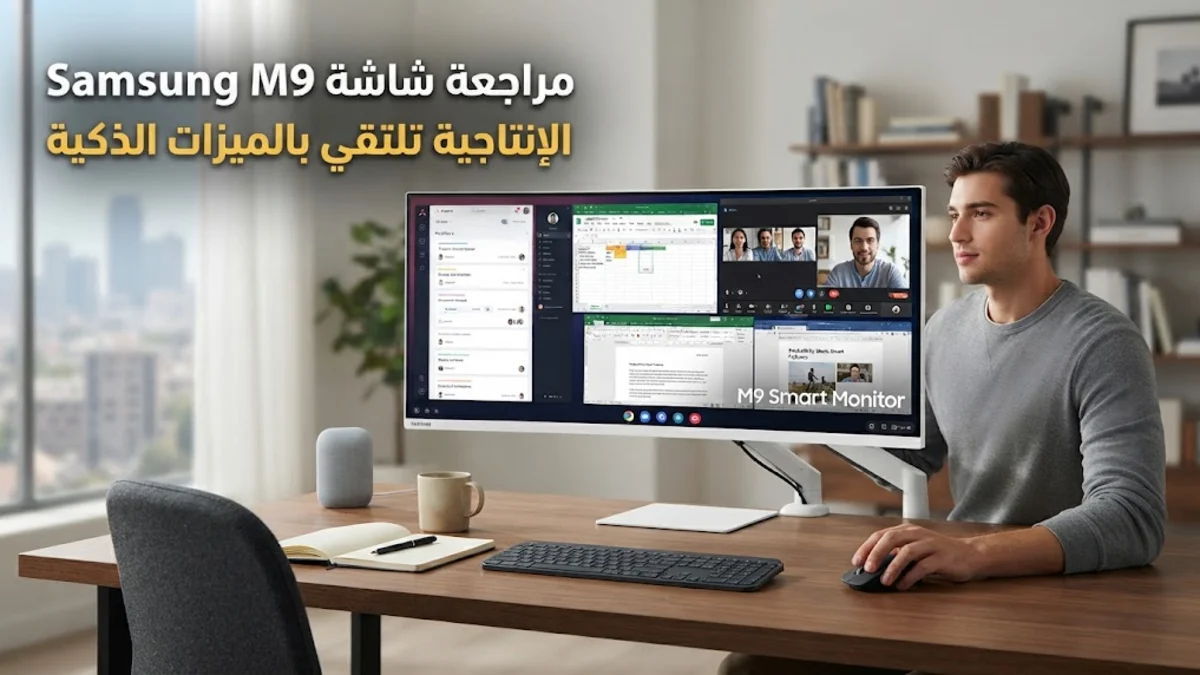
In the evolving landscape of home office technology, the Samsung M9 monitor occupies a distinct, high-utility niche. As we move deeper into 2026, the traditional "dumb" monitor is increasingly being challenged by hybrid displays that act as both work tools and entertainment hubs. The Samsung M9 is designed to function as the centerpiece of a modern, minimalist desk. It does not simply display signals from a laptop or desktop; it integrates Tizen-based smart TV functionality, allowing the screen to operate independently of any PC.
For the average home worker, this means the monitor can stream professional development content, news feeds, or media during breaks without booting up a power-hungry workstation. The philosophy behind this model is clear: reduce cable clutter and maximize the utility of a single piece of hardware in a small apartment or dedicated home office. By combining high-fidelity 4K imaging with an internal operating system, Samsung is targeting professionals who want a seamless transition between their intense workday and their downtime.
Design and Build
The design philosophy of the Samsung M9 is one of intentional restraint. The chassis features a slim-bezel look that mimics premium consumer electronics, ensuring the monitor does not dominate the desk visually when not in use. The build quality relies on durable, high-density plastics that feel robust to the touch. The stand is a notable component; while it is aesthetically pleasing with its clean lines, it offers a more limited range of movement compared to the industrial-grade arms found on some enterprise-level displays.
Users can adjust the height and tilt of the screen, which satisfies basic ergonomic requirements for most desk setups. However, if your workflow demands frequent portrait-mode rotation or extreme swiveling for collaboration, you may find the standard stand insufficient. The back of the monitor is clean, hiding the cable management system effectively to maintain a tidy workspace. This emphasis on appearance makes it an ideal fit for modern home offices where aesthetics are as important as performance metrics. The screen finish is a semi-matte texture, which balances the need for clarity with the need to minimize distracting reflections from overhead office lighting.
Key Features and Performance
The visual experience of the M9 is centered around its 4K UHD resolution, which provides excellent clarity for text-heavy documents and complex spreadsheets. The color gamut coverage is impressive for its price point, making it a reliable tool for light photo editing and general content review. Because it uses a VA-type panel, contrast ratios are naturally higher than many budget IPS alternatives, meaning blacks appear deep and shadows are well-defined. This makes for a more immersive experience when viewing video content or high-contrast graphics.
The smart features are the standout, differentiating it from almost every other monitor in the productivity space. By accessing the smart menu, you can open a web browser to check emails, access cloud-based office suites like Microsoft 365, or mirror your smartphone directly to the screen via Samsung DeX or AirPlay. The USB-C connectivity is perhaps the most important port, as it supports power delivery that can keep a modern ultrabook topped up while you work, effectively turning the monitor into a docking station with a single cable connection. The menu system is navigated via a dedicated remote control, which mimics a smart TV experience. While some users might prefer physical buttons on the bottom of the screen, the remote provides a level of comfort that is frankly superior for browsing through streaming apps or settings menus.
Who It Is For (and Who Should Skip It)
The Samsung M9 is tailor-made for the "hybrid worker." If your home office does double duty as a media room, or if you are a minimalist who avoids owning a television in favor of a desk-based display, this is the perfect solution. It is also an excellent upgrade for students or professionals living in smaller spaces where a separate TV and monitor would be impractical. The ability to switch from a spreadsheet to a streaming service using just the remote is a significant quality-of-life upgrade for many.
Conversely, if you are a competitive gamer who requires refresh rates above 60Hz, or if you are a professional colorist working in a studio where delta-E accuracy is the primary metric, you should likely skip this model. The panel is optimized for standard productivity and media, not the rapid-fire response times needed for high-stakes gaming or the absolute color precision required for professional print production. Additionally, if you find "smart" features to be an unnecessary complication—preferring a plug-and-play monitor that only does exactly what your PC tells it to do—you may find the extra software layer in the M9 to be more distracting than helpful.
Alternatives Worth Considering
Competition in the 4K productivity monitor space is fierce. If your work is exclusively within the Apple ecosystem and you prioritize top-tier build quality and panel brightness, the Apple Studio Display is a natural rival, though it requires a significantly higher financial commitment. For users who prioritize ergonomics above all else, the Dell UltraSharp U2723QE is widely considered the industry benchmark. It features a fully adjustable stand, extensive port options, and an IPS Black panel that provides incredible viewing angles, though it lacks the integrated smart TV operating system that makes the Samsung unique. Finally, the LG 27UP850N remains a fantastic "middle-ground" option. It provides excellent 4K performance and reliable USB-C connectivity at a very competitive price, targeting users who want high performance without paying for extra software features they might not use.
Final Verdict
The Samsung M9 monitor stands out as a unique value proposition. It is a competent, high-resolution monitor that manages to do something most competitors do not: it offers a life outside of your PC. For most remote workers, the combination of crisp 4K imagery, convenient USB-C charging, and the versatility of an onboard smart operating system makes it a highly attractive purchase. While it sacrifices some high-end ergonomic flexibility and raw gaming performance, it makes up for those trade-offs with sheer convenience and a modern design that elevates the appearance of any home office. It is a reliable, feature-packed display that serves the needs of the 2026 professional who demands more from their gear than simple signal transmission.