Overview
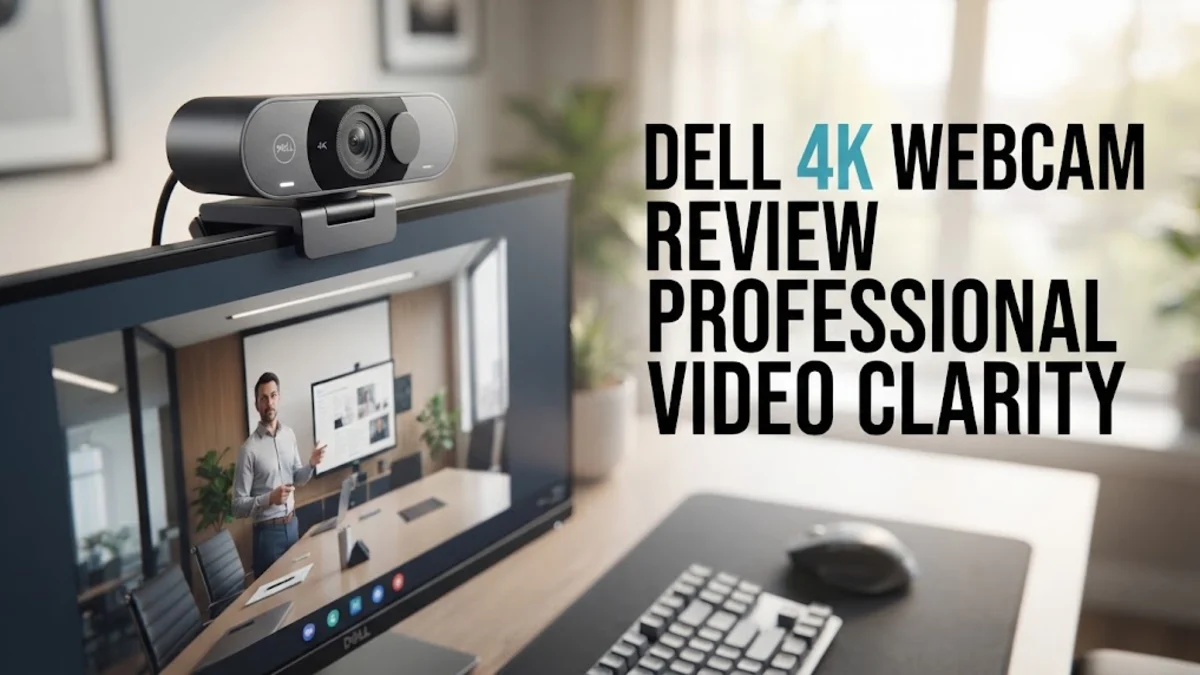
In the evolving landscape of modern remote work, the quality of your digital presence is increasingly tied to the hardware you choose. The Dell 4K webcam is engineered specifically to address the needs of professionals who require more than just basic video connectivity. Unlike budget-tier sensors found in laptops or entry-level webcams, this device aims to bring studio-like clarity into the standard home office workflow. It is built to operate as a seamless extension of your workstation, ensuring that when you step into a video call, your visual presentation remains crisp, clear, and professional.
For those navigating the complexities of hybrid meetings—whether they are client-facing sales calls, technical reviews, or board meetings—the Dell 4K webcam offers a meaningful improvement in video fidelity. By leveraging a high-resolution sensor, it effectively mitigates the "grainy" look common in lower-light indoor settings, allowing your colleagues to see fine details and natural skin tones. This is a crucial distinction for workers who need to convey authority and professionalism in every interaction.
Design and Build
The aesthetic of the Dell 4K webcam is a study in restrained, functional design. It adopts a minimalist, cylindrical profile that avoids the aggressive "gamer-centric" look often found in competitors like those from the Razer or Logitech gaming lineups. The chassis feels dense and durable, hinting at the high-quality optical components housed inside. This is not a device that will feel cheap or flimsy when you adjust its position.
A critical design feature is the integrated mounting mechanism. The clip is articulated with enough tension to remain stable on thin laptop bezels, yet it expands wide enough to securely grip the top of thick, high-end desktop monitors. This versatility is vital for users who frequently switch between work environments or rearrange their desk setups. Furthermore, the inclusion of a physical, tactile privacy shutter is a non-negotiable feature for modern security-conscious environments. It provides an immediate, analog peace of mind that software-based toggles simply cannot replicate. The hinge mechanism for the shutter is smooth, ensuring that you can cover the lens in less than a second when moving from a meeting to a private focus-session.
Key Features and Performance
At the heart of the device sits a 4K image sensor that supports high-dynamic-range (HDR) processing. In real-world testing, this technology excels in the common scenario of an office with a window behind the desk. Instead of blowing out the background or leaving your face in shadow, the Dell 4K webcam intelligently balances the exposure. It works to brighten the subject while keeping the high-contrast lighting outside the window in check.
Color accuracy is another hallmark of this model. Many webcams on the market lean toward artificial, overly-cool color temperatures or excessive contrast that can make skin look "processed." The Dell 4K webcam aims for a neutral color science that feels authentic. In professional settings, this is a distinct advantage; you appear as you are in person, which helps in building rapport. The autofocus is also impressively quick. When you lean forward to look at a document or shift in your chair, the focus tracking adjusts near-instantaneously without hunting or pulsing, ensuring your audience is never distracted by a blurry frame.
Connectivity is handled via a USB-C cable, which is the gold standard for high-bandwidth video output. By utilizing the higher data transfer rates of USB-C, the camera manages to transmit uncompressed 4K video feeds that are far more detailed than what older, USB-A connected cameras could provide. This helps maintain signal integrity over longer cable runs, which is helpful if your computer is tucked away under a large desk.
Who It Is For (and Who Should Skip It)
Identifying the ideal user for the Dell 4K webcam involves looking at your daily requirements. This camera is designed for the corporate user, the consultant, or the remote worker who lives in video conferencing applications. If your primary goal is to project a polished image during critical meetings, the investment is easily justified. It is a tool for those who want a "set it and forget it" experience—you plug it in, adjust the mounting, and the software handles the rest consistently every single day.
However, it is important to understand what the device is not. It is not an AI-powered surveillance camera or a streamer's toy. If you are looking for advanced software features like auto-tracking that follows you across the room, or gesture-controlled zoom and pan, you will not find them here. Those features are more common in specialized hardware from brands like Insta360. If you are a content creator whose workflow depends on high-end software suites that manipulate your background or track your face in real-time, this model might feel slightly under-featured in the software department. Similarly, if your desk setup is already at capacity and you are working on a very tight budget under $100, the leap to 4K resolution may be a luxury rather than a necessity.
Alternatives Worth Considering
Choosing a 4K webcam is a competitive decision today, as there are many capable devices on the market. The Logitech Brio 4K remains a direct competitor and is often praised for its deep integration into the Logitech software ecosystem, which offers granular control over image settings. For users who enjoy tweaking their look—adjusting white balance, contrast, and field-of-view (FOV) manually—the Brio is a strong alternative. Conversely, the Insta360 Link brings hardware-based robotic gimbal movement, which is a game-changer if you are a presenter who stands up or moves around a workspace while teaching or giving a demonstration. The Razer Kiyo Pro Ultra, while significantly more expensive, uses a much larger sensor designed to mimic the depth-of-field qualities of a DSLR. It is the best choice if you are chasing a "cinematic" look with a blurred background, but it comes at a price that reflects its specialized nature. When compared, the Dell 4K webcam sits in the middle—it is not as configurable as the Brio, nor as motorized as the Insta360, but it often beats both on pure, reliable, professional color output.
Final Verdict
The Dell 4K webcam is an excellent balance of engineering and utility. It does not chase trends or pack in unnecessary features that might break or fail. Instead, it offers a rock-solid, high-resolution video experience that performs predictably regardless of the conferencing software you use. For the professional, predictability is perhaps the most valuable feature a webcam can offer. Being able to trust that you look sharp and clearly visible in every single meeting allows you to focus on the conversation rather than worrying about your tech settings. While it lacks the software-based AI features found in pricier models, the hardware performance is top-tier. It is a dependable, high-quality investment for the serious home office environment.