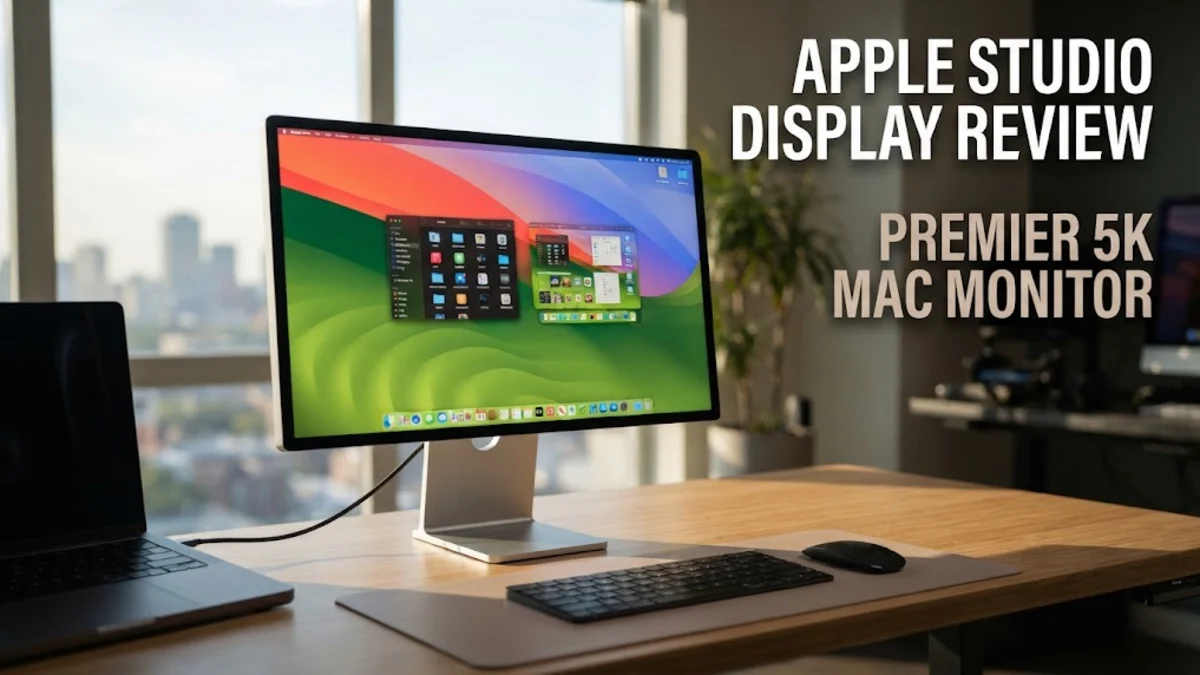
Overview
When remote work and hybrid home office environments transitioned from a temporary arrangement to a permanent reality, desk setups across the globe received a major overhaul. For years, Mac users seeking a high-density desktop monitor were caught between modest third-party 4K panels and exorbitantly expensive reference displays. The Apple Studio Display fills that gap, offering a dedicated 27-inch desktop monitor built specifically to complement machines like the Mac Mini, Studio, and MacBook Pro.
Featuring a 5K native resolution, an all-aluminum casing, an integrated camera, studio-quality microphones, and a remarkable six-speaker sound system, the Studio Display aims to deliver an all-in-one workstation solution. Rather than competing purely on specification sheets against high-refresh gaming displays, Apple focused on optical clarity, aesthetic harmony, and seamless hardware-software integration within macOS. In this review, we examine verified user feedback, expert technical analysis, and real-world performance metrics to determine whether this premium monitor earns its place on your desk.
Design and Build Quality
In terms of physical engineering, the Apple Studio Display sets a benchmark for desktop monitors. Wrapped in an anodized aluminum chassis with slim border bezels and a flat rear panel, the display shares a clear design language with modern iMacs and Mac Studio hardware. The enclosure feels substantial and rigid, dissipating heat passively without requiring active cooling fans that could introduce background noise into a quiet working environment.
However, the stand design requires careful consideration before purchase. Apple offers three distinct factory configurations: a standard tilt-adjustable stand, a tilt- and height-adjustable stand, and a VESA mount adapter option. Crucially, these mechanisms are built directly into the display and cannot be swapped after purchase by the end user. Industry analysts and verified buyers frequently point out that charging an additional $400 for the height-adjustable stand feels restrictive, particularly when competitive workstation monitors include full ergonomics out of the box.
Glass options are another focal point. The standard configuration uses an anti-reflective glossy glass coating that delivers vibrant colors and deep dark levels in controlled lighting. For environments with direct sun exposure or harsh overhead illumination, Apple offers a nano-texture glass option. Reviewers note that while nano-texture excels at scattering ambient reflection without causing severe haze, it demands delicate care using specialized cleaning cloths to prevent micro-abrasions over time.
Rear connectivity is minimalist. You will find one Thunderbolt 3 upstream port alongside three USB-C downstream ports rated up to 10Gbps. The upstream Thunderbolt port delivers up to 96W of power delivery, which is sufficient to fast-charge a 14-inch or 16-inch MacBook Pro over a single cable while transferring video, audio, and data. The lack of standard HDMI or DisplayPort inputs highlights Apple's target user base, signaling that this display is tailored for modern USB-C and Thunderbolt workflows rather than traditional PC towers or gaming consoles.
Key Features and Performance
The core attraction of the Apple Studio Display is its 27-inch 5K IPS panel, offering a resolution of 5120 x 2880 pixels. This yields a pixel density of 218 pixels per inch (ppi), which is the exact target density macOS uses for native Retina scaling. Unlike typical 4K displays on 27-inch glass—which require user-interface scaling that can introduce slight blurring or GPU rendering overhead—text and graphical assets on the Studio Display render with crisp sharpness. Colors are rich and accurate out of the box, supporting the P3 wide color gamut and up to 600 nits of SDR brightness, alongside Apple's True Tone technology that automatically adjusts color temperature based on room lighting.
Where the display trails modern industry trends is in backlighting technology and refresh rates. The panel relies on a traditional edge-lit LED backlight without local dimming zones. Consequently, it lacks true HDR support, contrast ratios remain standard for IPS technology around 1000:1, and blacks can appear dark gray in a fully darkened room. Furthermore, the display is capped at a standard 60Hz refresh rate. Users accustomed to ProMotion 120Hz panels on high-end MacBooks or modern smartphones will notice the smoother motion missing when dragging windows across the desktop.
Audio performance, on the other hand, surpasses nearly every monitor on the market. Powered by an internal A13 Bionic chip, the six-speaker array consists of four force-cancelling woofers and two high-performance tweeters. Verified reviews consistently praise the sound quality, noting punchy bass, clear mids, and wide spatial imaging with Dolby Atmos support. For everyday videoconferencing, podcast listening, or ambient background music, external desktop speakers become redundant for most users. The studio-quality three-microphone array features directional beamforming that isolates voice audio well, reducing the need for a dedicated USB microphone during daily calls.
The built-in 12MP Ultra Wide webcam has drawn a mixed response. Driven by the internal processor, it supports Center Stage, which automatically pans and zooms to keep you centered in the frame as you move around. Early production units suffered from noticeable graininess and aggressive image smoothing. While software updates from Apple have visibly improved color contrast and detail rendering, expert lab testing confirms the camera remains held back by its physical sensor size, yielding acceptable rather than extraordinary video quality in low-light environments.
Who It Is For (and Who Should Skip It)
Understanding your operating system and daily workflow is crucial before investing in the Apple Studio Display.
- Ideal for Mac-Centric Creative Professionals: Graphic designers, photo editors, software developers, and copywriters running macOS will benefit hugely from native 218 ppi Retina text rendering and wide color accuracy.
- Ideal for Minimalist Home Offices: Users seeking a clean, single-cable solution that combines display, powerful desktop audio, microphone array, and 96W laptop charging into one aesthetic footprint.
- Skip If You Rely on Windows PCs: While the display will output video via DisplayPort over USB-C on a PC, advanced features like Center Stage, True Tone, Spatial Audio, and firmware updates require macOS.
- Skip If You Are a Gamer or HDR Video Editor: The 60Hz refresh rate, lack of adaptive sync (Variable Refresh Rate), missing HDMI 2.1 ports, and absence of HDR dimming make it poorly suited for gaming consoles or high-dynamic-range video mastering.
Alternatives Worth Considering
For buyers considering other avenues, several market competitors address specific limitations of the Studio Display:
Samsung ViewFinity S9: Samsung's direct response to the Studio Display matches the 27-inch 5K resolution and 218 ppi density while including a matte screen finish, a height-adjustable stand, and an integrated 4K webcam out of the box at a comparable price point. However, its plastic build quality and weaker speaker setup do not quite match Apple's hardware refinement.
Dell UltraSharp U2723QE: If 5K resolution is not mandatory, this 27-inch 4K monitor uses IPS Black panel technology to deliver double the contrast ratio (2000:1) of standard IPS screens. It features an extensive USB hub, RJ45 Ethernet port, full ergonomic adjustment, and costs significantly less, making it a favorite for multi-platform home offices.
ASUS ProArt PA279CRV: Tailored for creative professionals on a budget, this 27-inch 4K panel features extensive color space coverage (DCI-P3 and sRGB), factory color calibration, robust ergonomic tilt/swivel/pivot mechanisms, and multiple display inputs including USB-C with power delivery.
Final Verdict
The Apple Studio Display remains a category-defining product for users built deeply into the Mac ecosystem. Its combination of pixel-dense 5K visuals, solid 600-nit brightness, incredible integrated speakers, and flawless aluminum construction creates a refined desktop experience that few competitors can mirror. While its fixed stand options, modest 60Hz refresh rate, and average low-light webcam performance represent clear compromises at this price point, its daily visual clarity and convenience ensure it stands out as one of the premier productivity monitors for home offices.