Overview
Finding the right monitor for a home office workflow often requires balancing crisp screen clarity, faithful color reproduction, and seamless device management. The BenQ DesignVue PD2705U targets working professionals, digital creators, software developers, and remote power users who need an accurate 27-inch 4K UHD workspace without paying upper-tier studio monitor prices. Synthesizing technical specifications, independent lab benchmarks, and widespread user feedback, this review breaks down how BenQ's mid-range professional display holds up in everyday desktop environments.
Built around a 27-inch IPS panel running at 3840 x 2160 resolution, the PD2705U boasts a pixel density of roughly 163 pixels per inch (PPI). This delivers razor-sharp text rendering and fine detail clarity, making it especially attractive for users scaling macOS or Windows side-by-side windows. BenQ highlights its proprietary AQCOLOR technology, offering factory-calibrated color out of the box along with Pantone Validated and Calman Verified status. Furthermore, integrated features like a single-cable USB-C docking interface, built-in KVM switch, and the physical Hotkey Puck G2 controller aim to streamline busy multi-device desks.
Design and Build
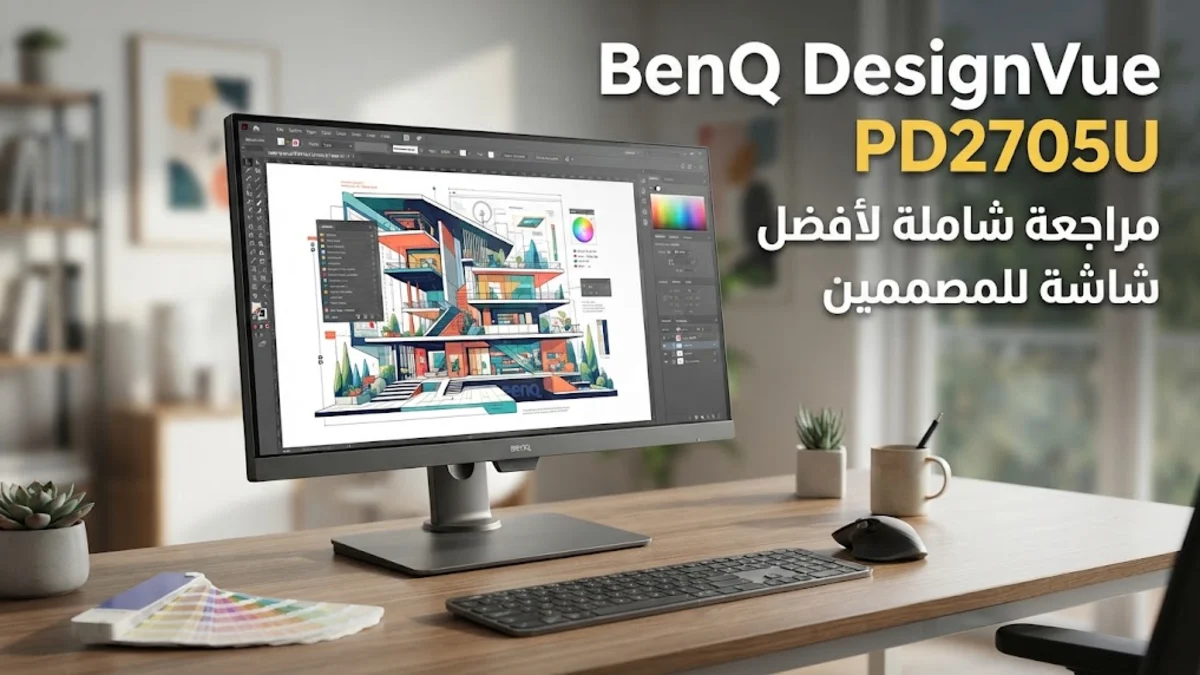
The BenQ DesignVue PD2705U embraces a minimalist, functional aesthetic that fits cleanly into modern professional spaces. The chassis is finished in a dark matte dark-gray resin that resists fingerprints and reflections. Three side bezels are ultra-thin, enabling clean multi-monitor arrangements, while a slightly wider bottom chin houses the discreet light sensor and front-facing power indicator.
Ergonomics are a highlight of the physical frame. The included heavy-duty desktop stand offers 110 millimeters of smooth height adjustment, -5 to 20 degrees of tilt, 30 degrees of swivel (-15 to +15 degrees), and a full 90-degree pivot for portrait orientation. A round cable passthrough hole built into the lower column keeps power and signal cords organized. Reviewers and verified buyers consistently praise the stand's stability, noting virtually zero screen wobble during aggressive typing sessions.
Input ports are located in a downward-facing rear recessed bay, alongside convenient quick-access ports on the side edge. Inputs include one HDMI 2.0 port, one DisplayPort 1.4, one USB-C port with DisplayPort Alt Mode and 65W Power Delivery, alongside an integrated USB 3.2 Gen 1 hub featuring three USB-A downstream ports and one additional USB-C downstream port. BenQ also supplies dual 2-watt internal speakers for basic notification audio, though most users will still prefer dedicated desktop speakers or headphones for music and video calls.
Key Features and Performance
Color accuracy and display quality serve as the core appeal of the PD2705U. The panel covers 99% of the sRGB and Rec.709 color spectrums with an advertised Delta E lower than 3, ensuring that colors rendered on screen match standard web and graphic outputs. Expert color measurements confirm that factory tuning is remarkably accurate right out of the shipping container. For Apple users, BenQ includes a dedicated M-Book mode designed to match the native color profile and visual temperature of MacBook Liquid Retina displays, alongside ICCsync technology, which automatically synchronizes color profiles between the computer OS and the monitor when switching modes.
In practical daily tasks, the 4K resolution across a 27-inch canvas translates into expansive desktop real estate. Working across large spreadsheets, dual browser windows, or code editors feels effortless without text appearing jagged. The anti-glare panel coating handles indirect ambient office lighting exceptionally well without creating distracting grain or rainbow artifacts across solid white backgrounds.
Workflow features elevate the display above standard office monitors. The integrated Keyboard, Video, Mouse (KVM) switch allows you to connect two separate host computers—such as a work laptop and a home desktop—and control both using a single keyboard and mouse set. Utilizing BenQ's DualView mode, you can even split the screen in half to display two different color modes side-by-side, such as sRGB next to Darkroom or CAD/CAM mode.
Navigating monitor settings on most displays is notoriously frustrating, but BenQ solves this with the bundled Hotkey Puck G2. This circular remote rests on your desk and features a smooth dial for instant brightness or volume control, alongside customizable shortcut buttons to toggle inputs, color presets, or KVM hosts. Feedback from long-term owners frequently highlights the puck as one of the monitor's most practical and time-saving additions.
Who It Is For (and Who Should Skip It)
The BenQ DesignVue PD2705U is an outstanding match for graphic designers, web developers, photo editors working in sRGB, and remote workers who desire clean single-cable connectivity for their laptop or Mac Mini. Its precise factory calibration and robust KVM features suit multi-computer productivity setups exceptionally well.
However, certain users should look elsewhere. Gamers searching for high frame rates will find the native 60Hz refresh rate and standard 5ms response time limiting for competitive shooter titles. Additionally, video editors who strictly require broad wide-gamut DCI-P3 or AdobeRGB color coverage, or those seeking true HDR mastering with high local dimming zones, will need to consider higher-end specialized displays. Lastly, power-hungry 16-inch laptops requiring 90W to 100W of power may drain slowly under continuous heavy CPU/GPU loads when powered solely by the monitor's 65W USB-C output.
Alternatives Worth Considering
When shopping in the mid-range 4K home office monitor market, three primary competitors stand out alongside the BenQ PD2705U:
- ASUS ProArt PA279CRV: A direct rival offering slightly wider color space coverage (99% DCI-P3) and higher USB-C power delivery (96W). It features a slim design and excellent ergonomic adjustments, making it a strong choice for video editors needing wider gamut support.
- Dell UltraSharp U2723QE: Incorporates IPS Black panel technology, which yields superior 2000:1 contrast ratios and deeper blacks compared to standard IPS displays. It also delivers 90W USB-C power delivery and an integrated Ethernet RJ45 port, though it lacks physical dial controllers like BenQ's Hotkey Puck.
- LG UltraFine 27UP850N-W: A budget-conscious alternative that delivers 4K IPS visuals with 96W USB-C power delivery. While its stand ergonomic swivel range is more limited and factory color calibration is less rigorous out of the box, it offers solid value for standard productivity tasks.
Final Verdict
The BenQ DesignVue PD2705U hits a sweet spot for home office productivity and sRGB visual creation. By pairing reliable factory-calibrated color with practical workflow extras like the Hotkey Puck G2 and integrated KVM switching, it resolves many of the daily friction points common in home office environments. While its contrast ratio and 60Hz refresh rate represent standard IPS performance boundaries, its overall feature set and build quality make it a compelling purchase for working professionals demanding high clarity and accurate colors.