Overview
In the modern home office, the demand for high-quality video conferencing tools has shifted from simple lenses to advanced, intelligent systems. The Insta360 Link enters this space as a powerful Pan-Tilt-Zoom (PTZ) camera designed specifically for professionals who need more than just a static view. By integrating a three-axis gimbal into a compact chassis, the Link aims to provide a studio-like experience, keeping you centered even if you move around your workspace.
The device is built for users who are serious about their remote presence, whether that means high-stakes client calls, remote teaching, or content creation. Because it utilizes a larger 1/2-inch sensor, it manages lighting environments better than traditional fixed-lens webcams, positioning itself as a top-tier option for home offices.
Design and Build
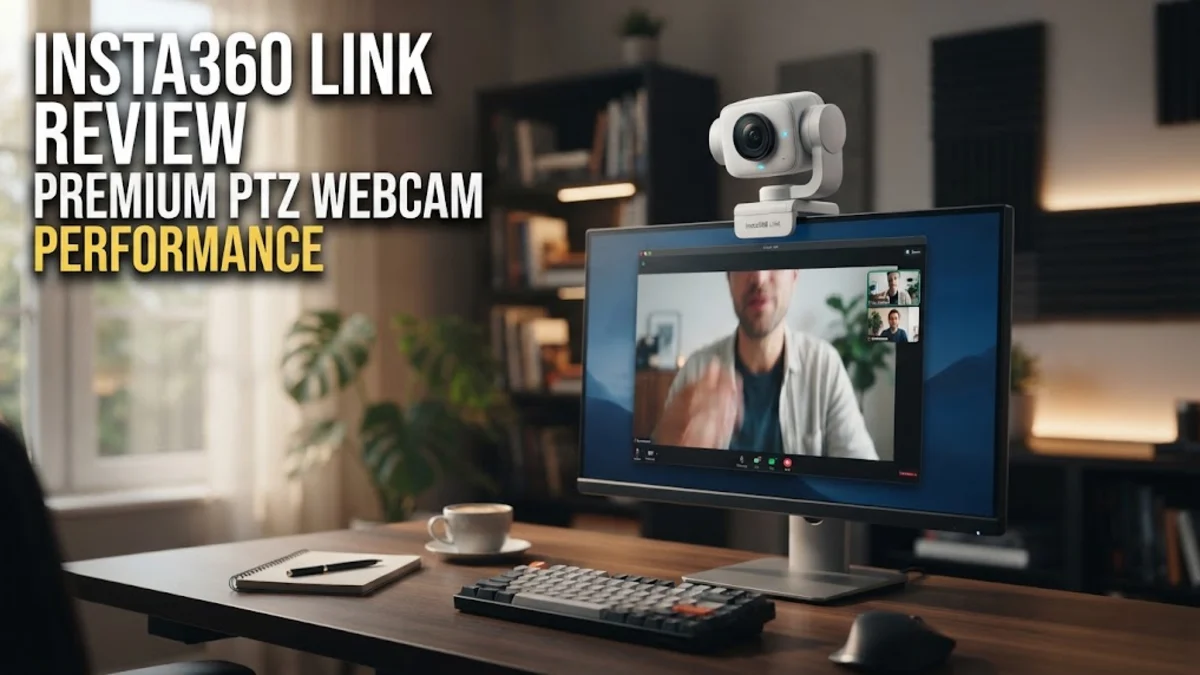
The Insta360 Link features a unique form factor that sets it apart from traditional boxy webcams. It stands vertically on a built-in clip that easily mounts to most modern monitors or laptops. The camera unit itself rests on a motorized gimbal, allowing for vertical and horizontal rotation. This mechanical design is not just aesthetic; it allows the camera to physically track the subject, providing a much smoother experience than digital cropping found in cheaper alternatives.
The build quality feels robust and premium, with a satisfying weight that suggests durability. The base includes a standard 1/4-inch screw thread, which is a major advantage for professionals who prefer to mount their webcam on a dedicated tripod or arm for a more professional angle. The connection interface is USB-C, ensuring wide compatibility with both Mac and Windows systems without requiring complex adapters.
Key Features and Performance
The standout feature of the Insta360 Link is undoubtedly its AI-powered tracking. The camera can automatically pan and tilt to keep you in the center of the frame, which is incredibly useful for presenters who like to stand up or gesture during a meeting. The tracking is responsive and smooth, lacking the jittery movement often seen in software-based tracking implementations.
Image quality is driven by the 1/2-inch sensor, which offers 4K resolution at 30 frames per second or 1080p at 60 frames per second. The larger sensor size allows for better dynamic range and performance in low-light conditions, preventing the grainy footage often associated with smaller webcam sensors. The color reproduction is natural and avoids the oversaturated look common in entry-level peripherals.
Beyond the basics, the Link includes several specialized modes:
- Whiteboard Mode: This allows the camera to focus on a whiteboard and perspective-correct the view, making it a powerful tool for educators or collaborative teams.
- DeskView Mode: With a simple adjustment, the camera tilts down to show your workspace, allowing you to share physical documents or sketches in real-time.
- Portrait Mode: The camera can rotate 90 degrees to capture a native vertical video feed, perfect for platforms like TikTok or short-form content.
Who It Is For (and Who Should Skip It)
The Insta360 Link is ideal for remote workers who spend the majority of their day on video calls, teachers needing to show diagrams on a whiteboard, and content creators who need professional-looking footage without a complex mirrorless camera setup. If your work involves frequent presentations where you move around the room, the PTZ function is a game-changer.
Conversely, skip this product if you have a tight budget or if you rarely use your webcam. If you only attend internal meetings where lighting is consistently perfect, a more affordable, fixed-lens 1080p camera will serve you just as well for a fraction of the cost. Additionally, if you are uncomfortable installing extra software on your machine, you may find the full feature set of the Link difficult to access.
Alternatives Worth Considering
For those looking at other options, the Logitech MX Brio 4K is a strong competitor if you prefer a fixed-lens design that emphasizes image quality and ease of use without the moving parts. The OBSBOT Tiny 2 is another direct competitor in the PTZ space, offering similar AI tracking and often comparable performance for those who prefer that aesthetic. If you are already invested in the Elgato ecosystem, the Elgato Facecam Pro is a popular choice for its high-bitrate output and advanced software controls, though it lacks the physical motorized movement of the Insta360 Link.
Final Verdict
The Insta360 Link is a highly capable, versatile tool that brings professional studio movement to the home office. While it commands a premium price point, the combination of a high-quality sensor, reliable AI tracking, and innovative modes like Whiteboard and DeskView makes it worth the investment for those who view video quality as a key component of their professional brand.